Better data, better ad ROI
With SignalSight, you don't need to build server-side applications to integrate with Meta Conversions API. No coding, no maintenance — and setup takes minutes. Get started in the SignalSight dashboard.
How to Find Your Meta Pixel ID
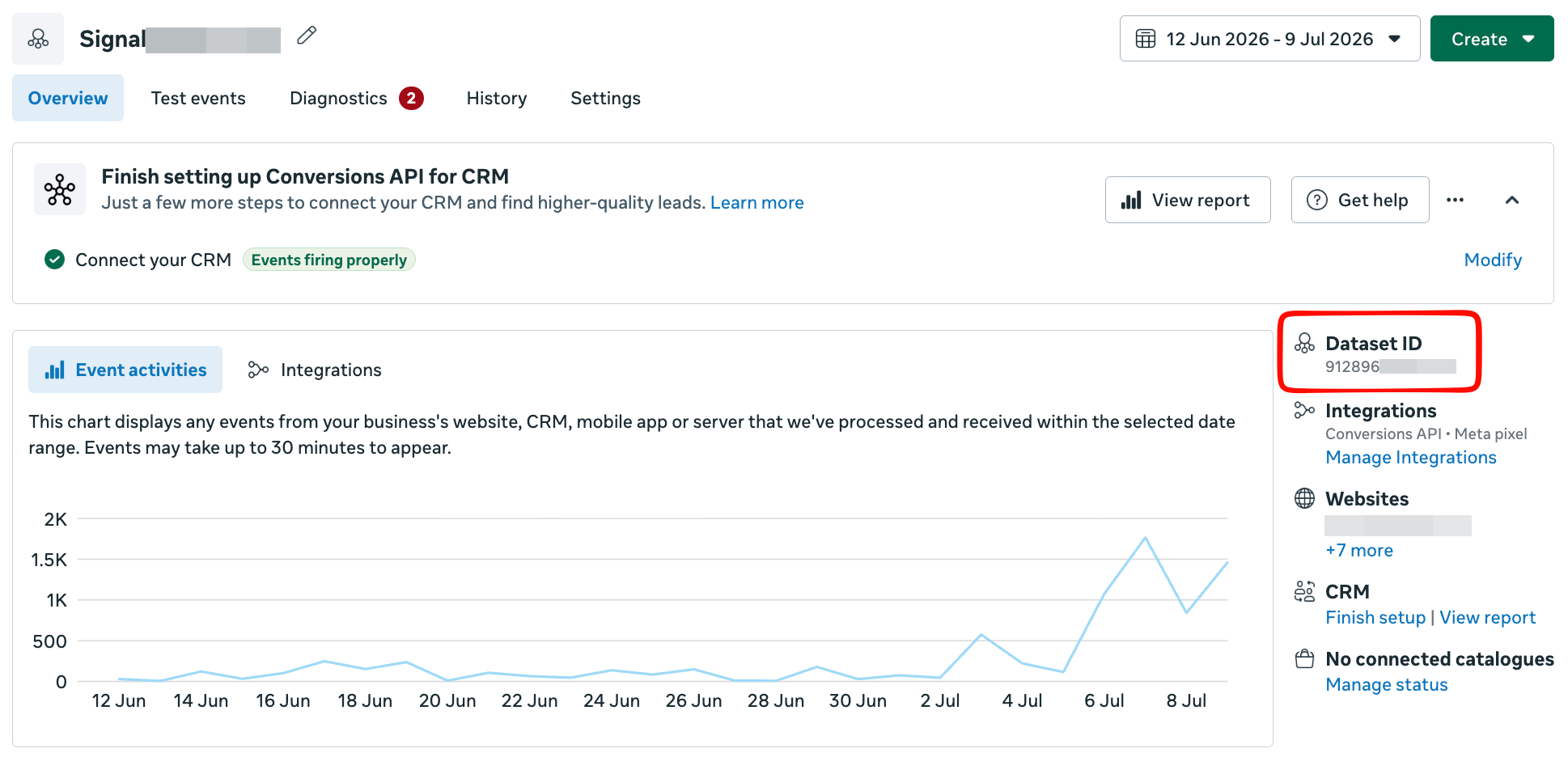
Open Meta Events Manager and select the Pixel you want to use from the data sources in the left menu. Your Pixel ID appears in the upper-right corner of the detail screen.
Note
For a walkthrough of the full installation flow, see the Basic CAPI Installation guide and its Transition Guide section.
Creating a Tracker
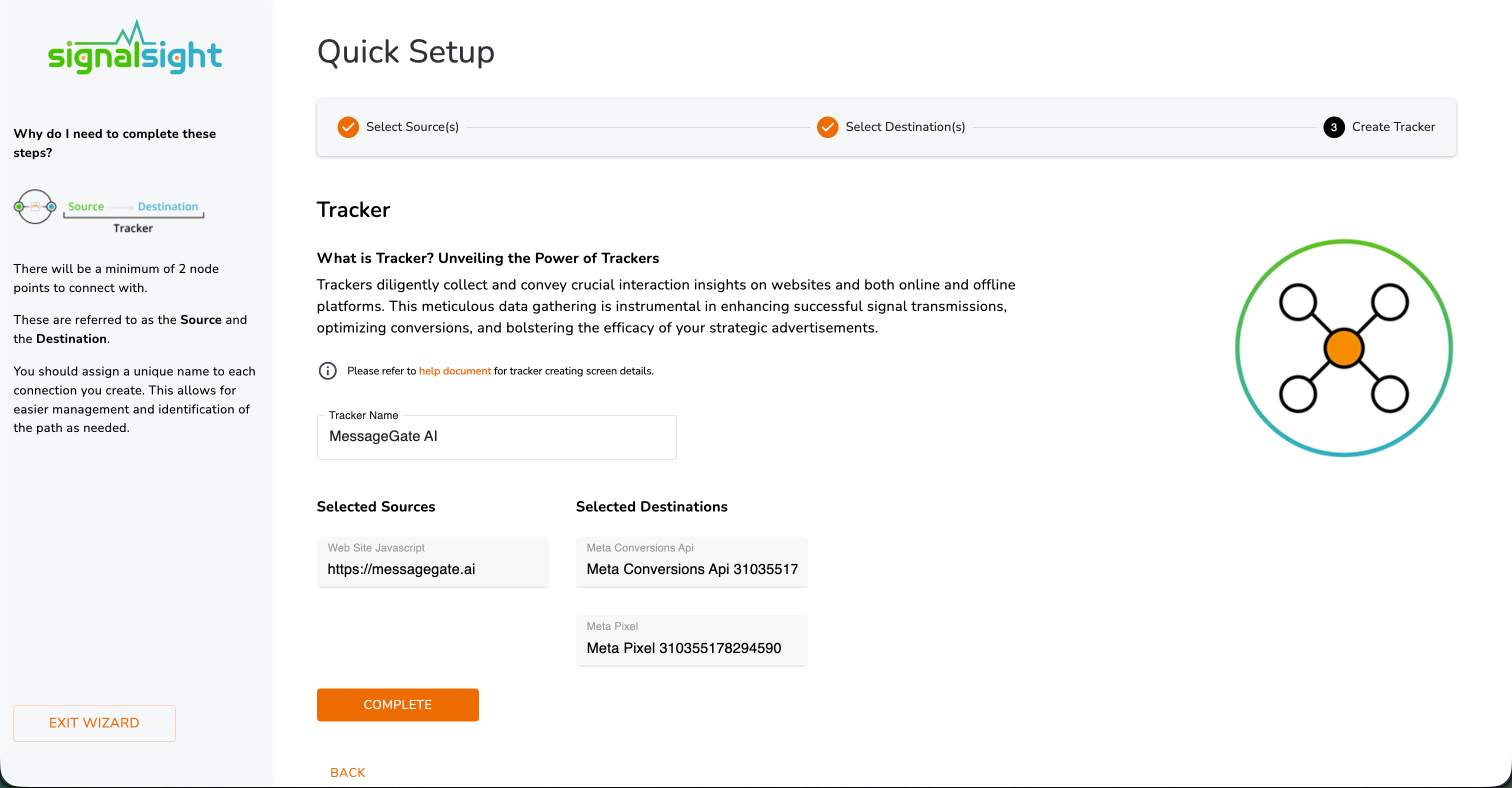
A tracker connects one or more sources (your website) to one or more destinations (ad platforms like Meta). Signals flow from source to every connected destination, giving you a single place to manage, monitor, and optimize your event pipelines.
Multiple trackers let you run separate configurations per domain, campaign, or destination — so each setup gets the tracking strategy it needs without cross-contamination.
If this is your first tracker, SignalSight opens the setup wizard and walks you through creating a source and destination.
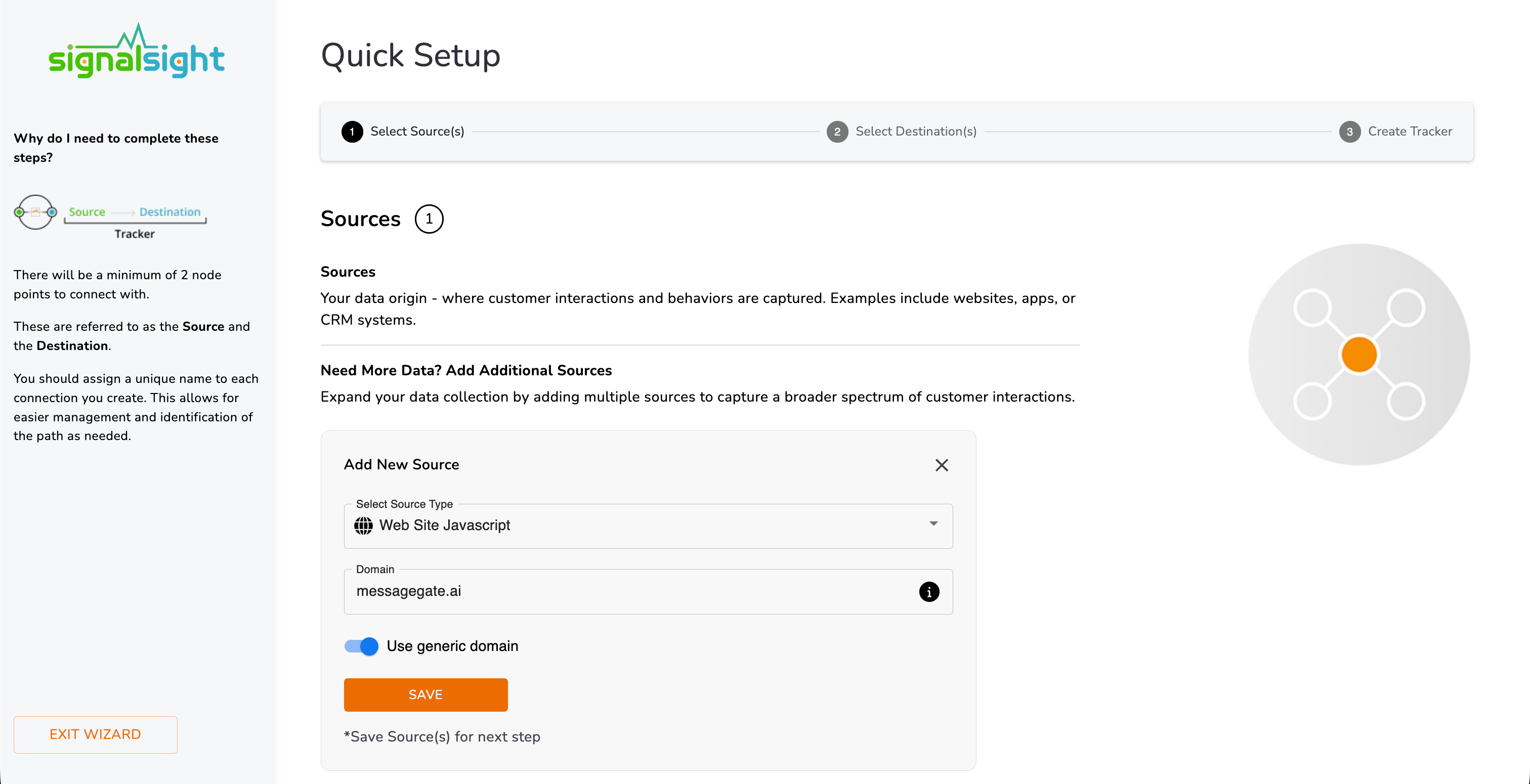
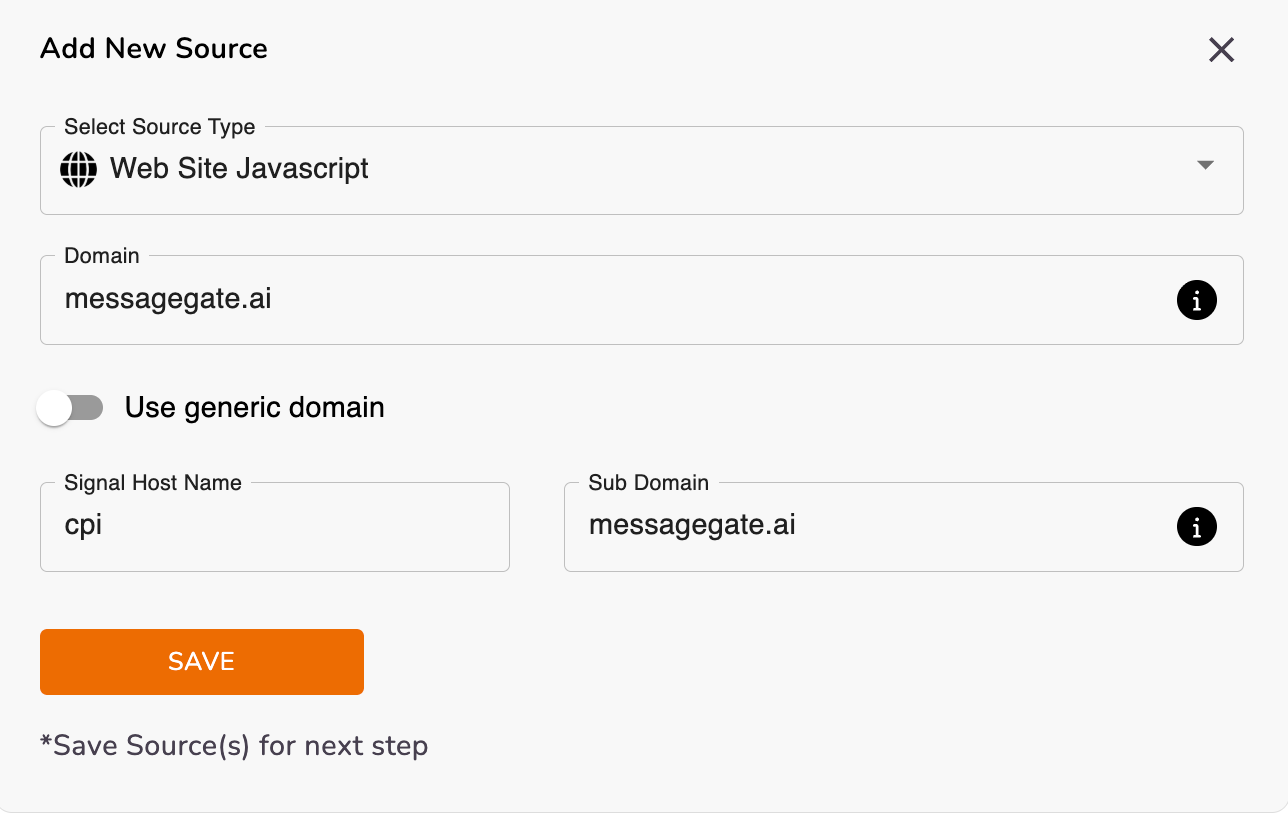
Select the domain where you'll implement Conversions API. To use your own subdomain, enter the subdomain hostname in the source configuration.
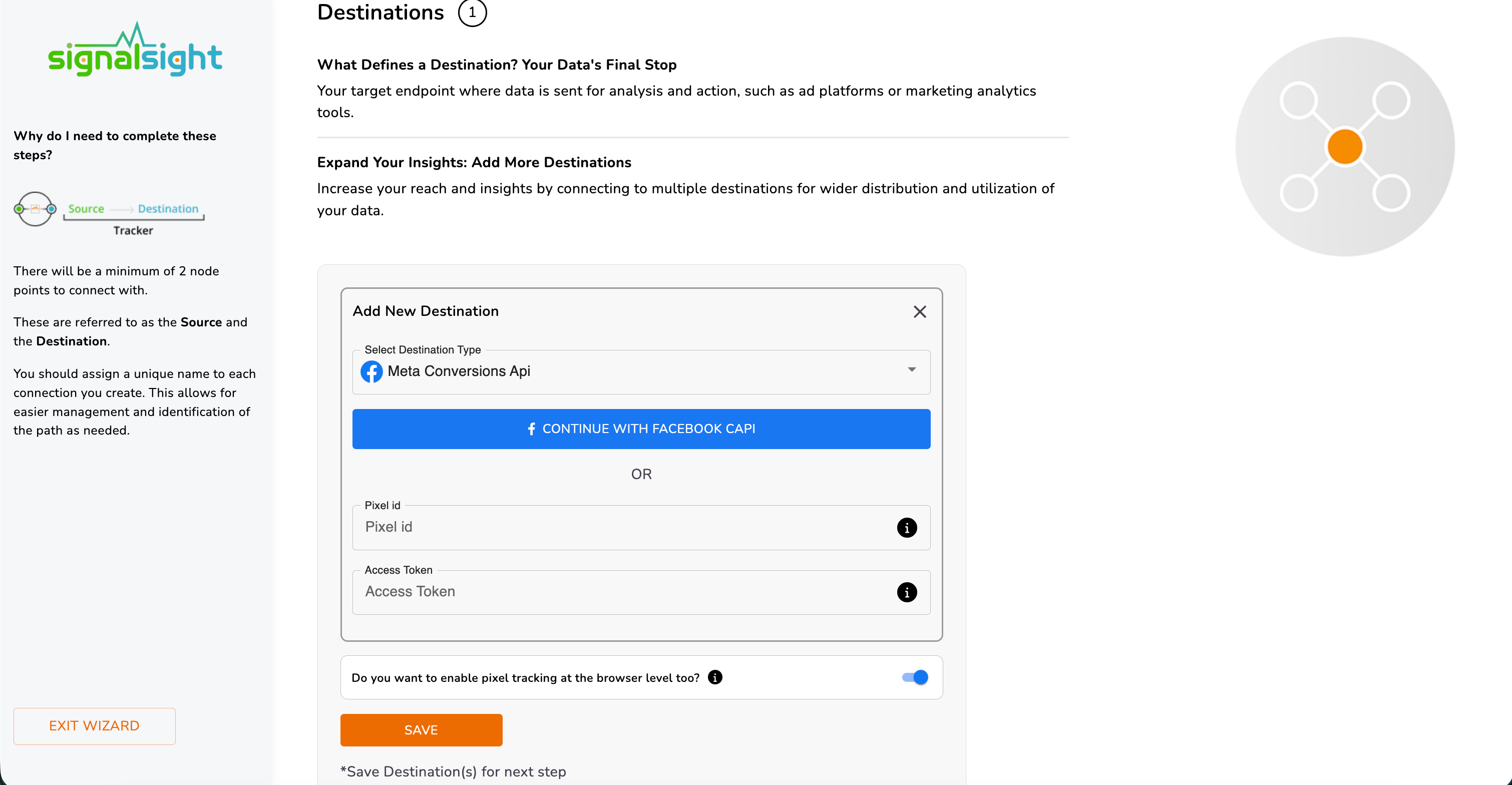
Under Destinations, enter your Meta Pixel ID and Access Token, then save.
Enable Pixel Tracking at the browser level too to create both a Meta Pixel destination and a CAPI destination — so you receive events from the browser and the server simultaneously.
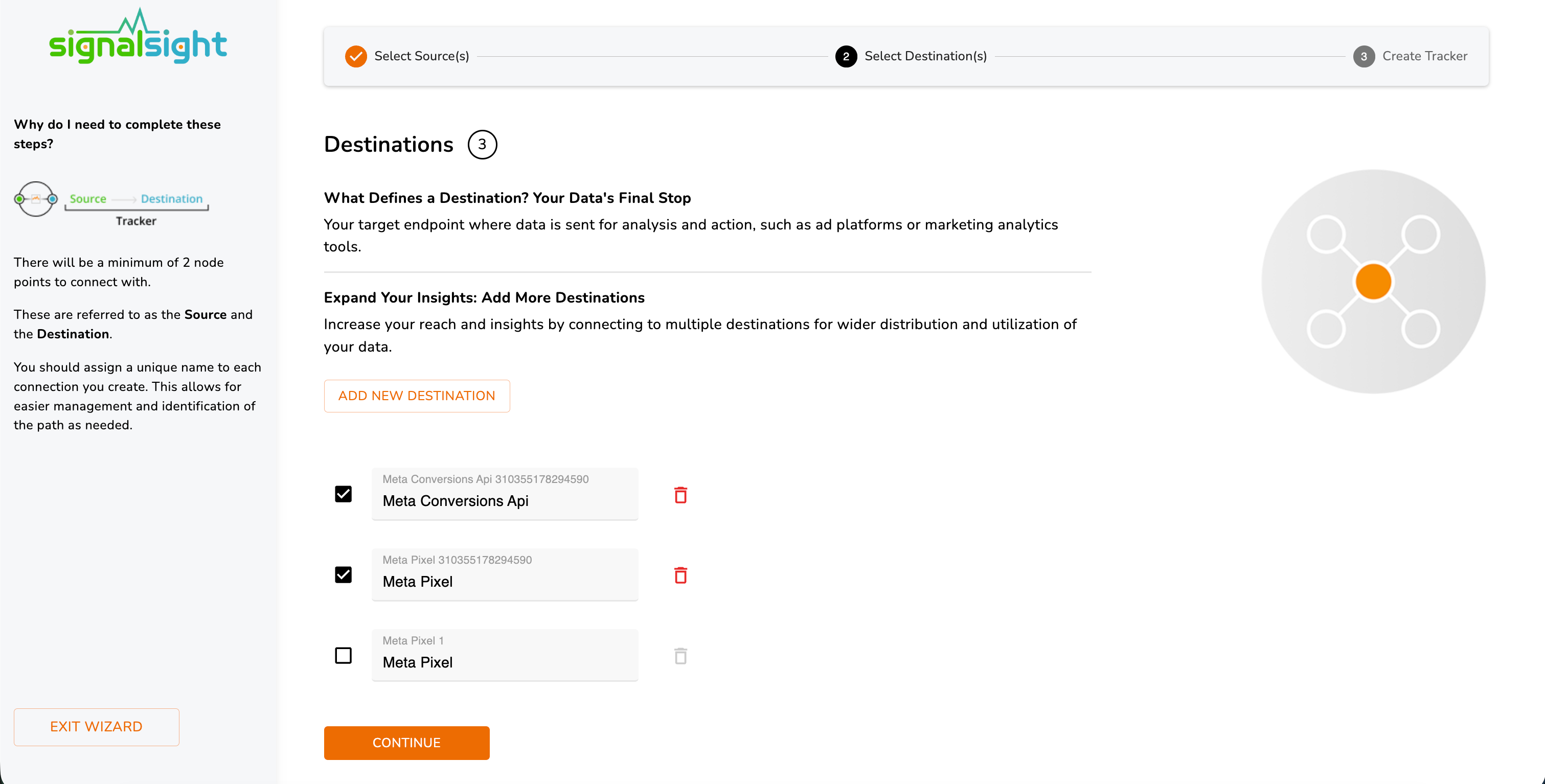
Once both Meta Pixel and Meta CAPI destinations are created, you can proceed to the next step.
Why Create a Subdomain?
A custom subdomain makes your tracking code first-party on your website. That improves data resilience — more signals get through browsers and ad blockers — and delivers better integration performance than a shared generic domain.
How to Create a Subdomain
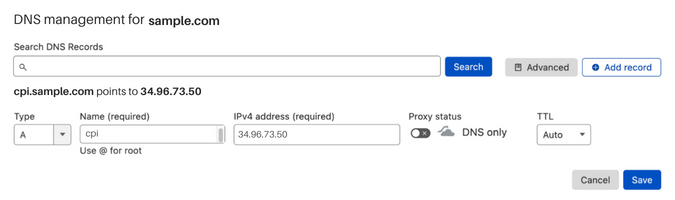
Steps vary by registrar or hosting provider, but the process is the same everywhere:
- Log in to your domain registrar or hosting account — where you purchased your domain.
- Open DNS Management or Domain Management.
- Find the option to create a new subdomain — usually under Subdomains or DNS Records.
- Enter your subdomain name. For example,
track.example.comfor the domainexample.com. - Choose an A Record to map the subdomain to an IP address.
- Enter the target IP — your web server, load balancer, or the address SignalSight provides.
- Save and wait for DNS propagation (a few minutes to a few hours depending on your provider).
Apply Your Subdomain in SignalSight
After your subdomain is live, enter it in the source hostname field when creating or editing a tracker.
Generate a Meta Access Token
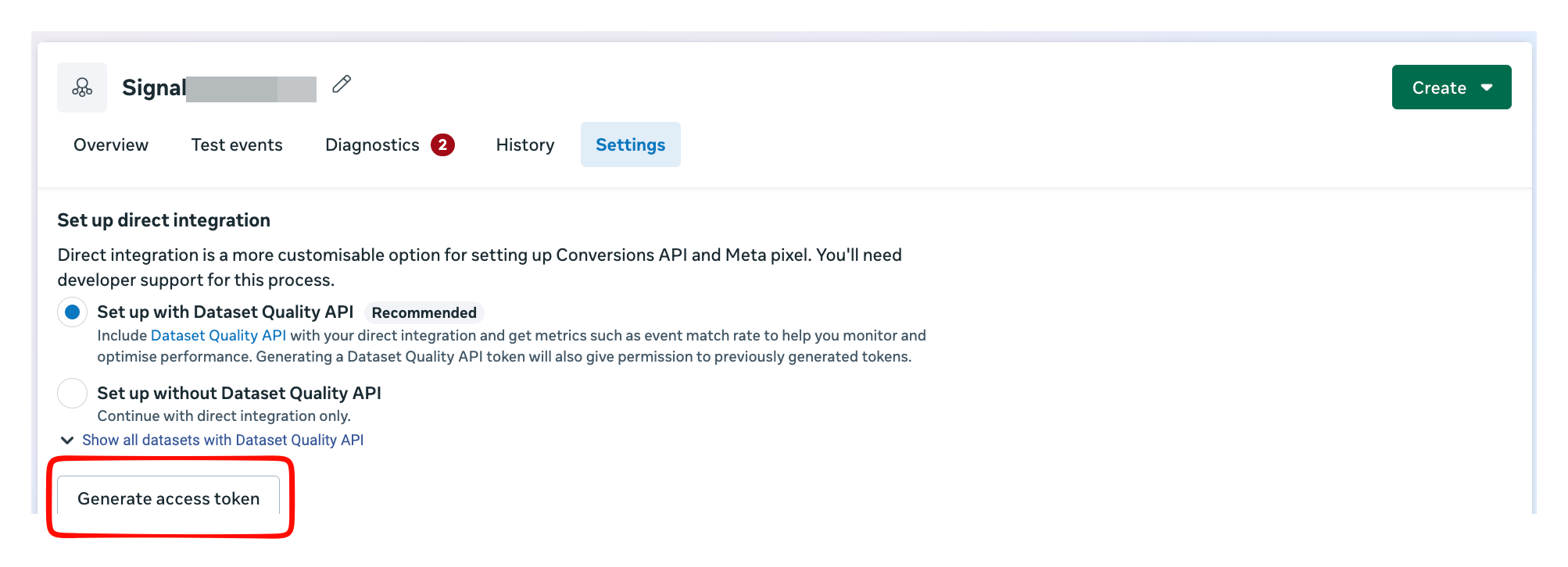
Create access tokens under the Settings tab of the Pixel you want to connect via CAPI in Meta Business Manager.
- Open your business Pixel in Events Manager.
- Assign the Pixel to a system user — or create a new system user at this step.
- Scroll to the Conversions API section and click Generate access token.
Name your tracker, review the source and destination configuration, and complete the wizard.
Your tracker is ready. Click Continue to open the tracker detail screen for further adjustments.
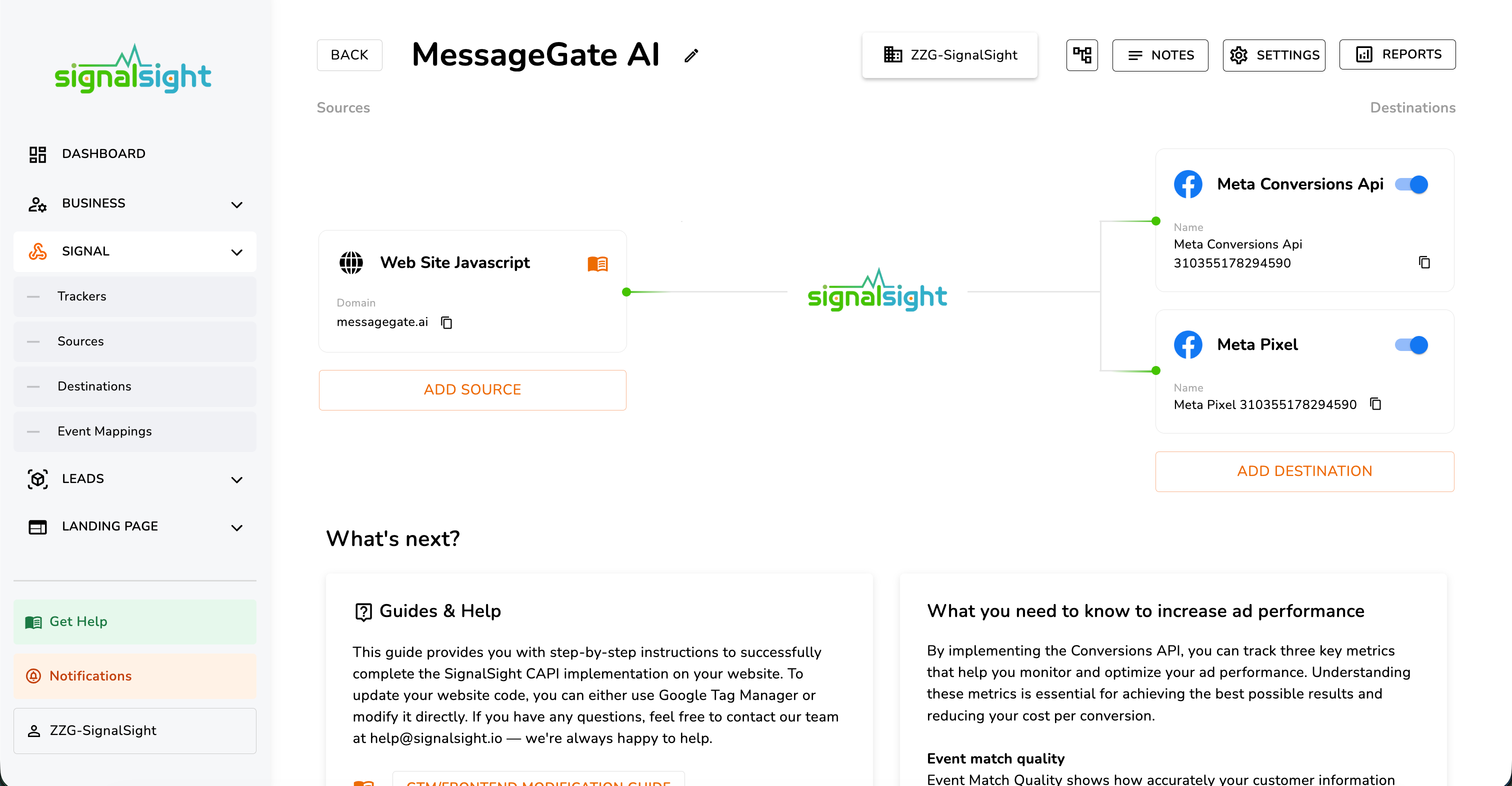
On the tracker detail page you can add sources or destinations, pause them, or remove them. To install the Conversions API snippet, use one of the two options at the bottom:
- Send Document — email installation instructions to your technical team.
- GTM / Frontend Modification Guide — implement the code yourself via Google Tag Manager or a direct frontend change.
Note
Need help with the installation snippet? The Basic CAPI Installation guide includes a full Transition Guide walkthrough.
Consent Management & Data Privacy
To stay compliant with data protection regulations (GDPR, CCPA, and similar frameworks), only activate tracking scripts after the user has given consent through your Consent Management Platform (CMP). SignalSight respects your consent configuration — events are not sent until consent is granted.
Frequently Asked Questions
Do I need to write server-side code for Meta CAPI?
No. SignalSight handles the server-side connection to Meta Conversions API. You configure a tracker in the dashboard and install a lightweight snippet on your site — no custom backend required.
Should I enable browser-level Pixel tracking alongside CAPI?
Yes, when possible. Running Meta Pixel in the browser and CAPI on the server gives you dual coverage. SignalSight deduplicates events so the same action is not counted twice.
Why use a custom subdomain instead of the default domain?
A first-party subdomain on your own domain improves signal delivery past ad blockers and browser restrictions, leading to more complete event data and better campaign optimization.
Where do I find my Pixel ID and access token?
Pixel ID is in Meta Events Manager (upper-right on the Pixel detail page). The access token is generated under the Pixel Settings tab in the Conversions API section.